
Defending your small business against phishing before it costs you money
Build a layered phishing defence that cuts fraud risk without slowing work to a halt.
Key takeaways
- Use layered phishing defence, not awareness training alone.
- Turn on DMARC, SPF and DKIM to make domain spoofing harder.
- Require a second communication method for payments and bank-detail changes.
- Enable MFA on email, finance, cloud, and admin accounts first.
- Create a fast, blame-free reporting route for suspicious messages.
Why this matters to you
Your 2-minute quick win
Send this message to your team now in email or chat: 'Before you approve a payment, change bank details, or share a password, verify the request using a second method such as a phone call or SMS.' Success looks like every manager and finance contact seeing the rule in writing today, before the next suspicious message arrives.
Phishing is when attackers send scam emails or text messages with links to malicious websites. Those sites may deliver malware, steal passwords, or trick someone into transferring money.
Small businesses are exposed because attackers do not need a large target. A mass campaign can hit any inbox, and a targeted spear phishing message can use details from your website or social media to look real.
The UK National Cyber Security Centre says phishing defence should be multi-layered. That matters for small firms because no single control catches everything, and no employee can inspect every email in depth without slowing normal work.
A layered approach gives you more than one chance to stop harm. One control may block spoofed email, another may push suspicious mail to junk, and another may stop an attacker logging in with a stolen password.
This topic is not only about malware. The same email can start a payment fraud, a supplier scam, an account takeover, or a wider cyber incident.
The ANSSI CyberDico defines authentication as proving the identity claimed by a person or machine. In practice, phishing often works by tricking someone into helping the attacker fake that proof.
What you are protecting
Your first asset is your email flow. If attackers can spoof your domain, they can target your staff, your customers, or your suppliers while appearing to act in your name.
Your second asset is your login process. Passwords remain a key target, especially for accounts with access to money, sensitive information, or IT administration.
Your third asset is your payment process. Attackers study normal ways of working, then copy them with urgent emails that ask for a transfer, a bank change, or an invoice update.
Your fourth asset is staff trust. If employees fear blame, they report late or stay silent after clicking, and you lose the early warning that could stop wider damage.
Your fifth asset is your public footprint. Staff names, roles, direct email addresses, supplier references, and executive travel details can all help make a spear phishing message more convincing.
You are also protecting business continuity. Malware from a phishing message can sabotage systems and interrupt normal service, which turns a simple email mistake into a much larger operational problem.
Finally, you are protecting authenticity and confidentiality. ANSSI defines authenticity as information being attributed to its legitimate author, and confidentiality as access being limited to intended recipients. Phishing puts both at risk at the same time.
What it costs you if you skip this
If you do not set anti-spoofing controls, attackers can send messages that look like they came from your domain. That can damage trust with customers and make your real mail more likely to be filtered as spam.
If incoming email filtering is weak or disabled, more suspicious messages reach inboxes. That raises staff workload, increases risky clicks, and gives attackers more chances to succeed.
If you rely only on awareness training, you create a fragile defence. The NCSC warns that no training package, including phishing simulations, can teach users to spot every phishing attempt.
If your culture blames people for mistakes, incidents get reported later. Late reporting gives attackers more time to use stolen passwords, move through systems, or continue a payment fraud.
If software and devices are not kept up to date, known vulnerabilities stay open. Then a single phishing link or attachment can become a route to malware installation.
If administrator accounts are used for normal email and web browsing, a phish can lead to far more damage. The privileges attached to that account decide how much an attacker can do next.
If multi-factor authentication is missing, a stolen password may be enough for account access. That turns one convincing fake login page into a real business problem.
If payment requests are not verified through a second communication method, a fake invoice or urgent change request can look routine. The result may be money sent to the wrong account before anyone notices.
Step by step
Open your domain email security settings with your mail provider or host and turn on the anti-spoofing controls DMARC, SPF and DKIM for every business domain you send from. Done correctly, your domain shows valid DMARC, SPF and DKIM records in place, and your provider confirms the policy is active rather than left as a draft.
In your inbound mail settings, make sure spam, phishing and malware filtering is switched on by default for all users. Done correctly, the service shows protection enabled for the whole organisation, not only for selected mailboxes.
Set your inbound mail system to honour a sender domain's DMARC policy when it says quarantine or reject. Done correctly, messages that fail validation are treated according to that sender policy instead of being delivered normally.
Check where suspicious messages go and decide whether your current balance between blocking and filtering fits your business. Done correctly, clearly malicious mail is blocked or isolated, while staff are not flooded with junk folder items they must inspect by hand.
Update your website contact pages, staff profile pages and social accounts to remove unnecessary detail such as direct addresses, internal role clues, or travel information. Done correctly, visitors can still reach you, but attackers get less personal detail to build a spear phishing message.
Write one simple payment rule into your finance process: any request to pay urgently, change bank details, or resend sensitive files must be verified using a second method such as a phone call, SMS, logging into an account, post, or an in-person check. Done correctly, the rule appears in your written process and staff can repeat the exact second-step check they must use.
Change at least one risky email habit into a safer workflow, such as sharing files through an access-controlled cloud account instead of sending attachments. Done correctly, staff use the cloud share link as the normal method and sensitive files are no longer routinely attached to email.
Turn on multi-factor authentication, also called two-step verification on some services, for email, finance tools, cloud storage, and admin accounts first. Done correctly, the next sign-in after setup asks for the extra factor after the password.
Install and use a password manager if your business does not already have one. Done correctly, staff stop typing most passwords by hand, and the manager only offers to autofill on the real site it recognises.
Limit administrator privileges to the people who truly need them and stop those accounts being used for everyday mail and browsing. Done correctly, routine users do not have admin rights, and admin identities are separate from daily work accounts.
Make sure supported software and devices receive the latest patches. Done correctly, your main systems show current update status and you are not relying on unsupported devices for business email.
Use modern browsers with protection against known phishing and malware sites, and add a proxy service in house or in the cloud if you can. Done correctly, known malicious sites are blocked when a user tries to open them, which stops the phishing chain from continuing.
Create one fast reporting route for suspicious email, such as a shared mailbox or help channel, and tell staff exactly where to send a suspect message. Done correctly, every employee can name the route without searching for instructions.
When someone reports a suspicious email, reply quickly with what happened next and thank them for raising it. Done correctly, staff see that reporting leads to action, which builds the blame-free culture the NCSC recommends.
Train teams on common phishing features and on your own business rules, but do not make training your only defence. Done correctly, staff know the warning signs, know the payment verification rule, and know they will not be punished for reporting a mistake quickly.
Illustrative example
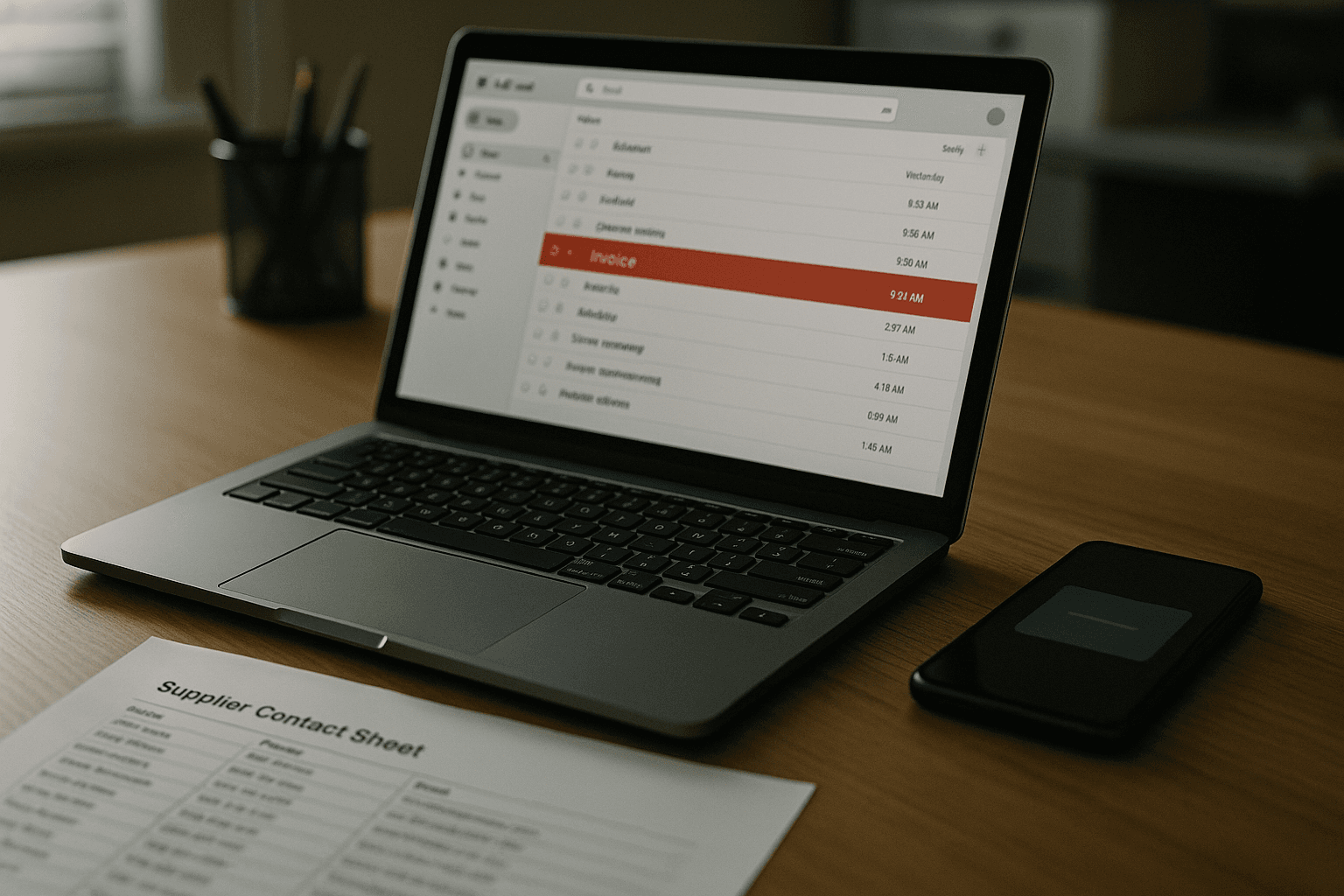
Claire runs operations for a small wholesale business. On Monday morning, she receives an email that appears to come from a regular supplier. The message says the supplier has changed bank details and needs the next invoice paid today.
The email looks convincing because it uses the supplier's brand style and mentions a real product line. It also creates pressure by saying the old account will close this afternoon.
Claire does not act on the email alone because her company has a simple second-channel payment rule. She opens the supplier contact record already stored in the business system and phones the number they already had on file.
The supplier says no bank change was sent. Claire forwards the message to the business reporting mailbox and marks it as suspicious.
The company checks the message headers through its mail service and sees that the sender failed validation. Because inbound filtering is enabled and the sender domain has a DMARC policy, similar messages are then quarantined instead of reaching other staff.
The finance lead reminds the team that bank changes are never accepted from email alone. IT also confirms that multi-factor authentication is active on the shared finance mailbox, so a stolen password alone would not have given access.
The outcome is boring in the best way. No payment is made, no password is entered, and the report helps stop follow-on copies of the same phish inside the company.
The near-miss
Now replay the same morning with one check missing. Claire is busy, trusts the familiar logo, and follows the bank change instructions without calling the supplier on the number already on file.
The message still looks routine because the attacker copied the normal invoicing style. Claire updates the supplier details and approves payment.
Only later does the real supplier ask why the invoice is overdue. The business then discovers the email was fraudulent and the money went to the attacker's account.
Nothing about the message needed deep technical skill to look believable. The difference was the skipped second-channel check.
How to check it worked
Start with simple proof, not assumptions. Pick one business domain and confirm that DMARC, SPF and DKIM are active where your email provider manages domain mail protection.
Next, send a harmless internal test note to your team that asks them to describe the reporting route for suspicious email. If people cannot answer quickly, the process is not simple enough yet.
Ask one finance employee and one manager to explain the payment verification rule without looking it up. If they cannot state the second method clearly, tighten the wording and repeat the message.
Check that multi-factor authentication is enforced on your most sensitive accounts first. A successful check means the account prompts for the second factor during sign-in, not only the password.
Look at a routine workstation account and confirm it does not have administrator rights. Then check that any admin account is separate and not used for inbox work.
Open a browser on a business device and confirm its security protections are current. If you use a proxy service, verify that it blocks access to known malicious destinations according to your policy.
Finally, test your reporting culture in normal conversation. Staff should feel able to say they clicked something suspicious without fearing blame or embarrassment.
Test yourself
Question: Why is training alone not enough against phishing?
Answer: Because no training package can teach users to spot every phishing email, especially targeted spear phishing.
Question: What is the safest rule for payment or bank-detail changes sent by email?
Answer: Verify the request using a second communication method such as a phone call, SMS, or logging into a known account.
Question: What does MFA change if a password is stolen?
Answer: It means a stolen password alone should not be enough for an attacker to access the account.
Common mistakes
The first mistake is betting everything on users spotting fraud. People are busy, and work depends on opening mail and clicking links, so perfect detection is not realistic.
The second mistake is punishing people who click. The NCSC warns that blame erodes trust and discourages prompt reporting, which removes one of your best early warning signals.
The third mistake is leaving email filtering only at the device level. Device filtering can help, but it should not replace effective server-based filtering that blocks large volumes before they reach inboxes.
The fourth mistake is publishing more than attackers need to know. Detailed staff profiles, role descriptions, and direct contact patterns can make whaling and spear phishing much easier.
The fifth mistake is accepting email as enough proof for a sensitive request. Email is a transport method, not proof of identity.
The sixth mistake is giving too many people privileged access. If a phish captures a high-privilege account, the damage grows with the rights attached to that identity.
The seventh mistake is delaying patches on the devices people use for email. Known vulnerabilities give malware more chances to install after a click.
The eighth mistake is making staff search for help during a suspicious moment. If the reporting route is not clear, simple, and quick, fewer incidents will be reported in time.
Level up
Your next concrete step is to add a proxy service, either in house or in the cloud, so phishing protection does not depend only on the inbox. This gives you one more layer because even if a user clicks a bad link, the browser request can still be blocked before the malicious site loads.
Checklist
- DMARC, SPF and DKIM are enabled for every business mail domain.
- Inbound spam, phishing and malware filtering is on by default for all users.
- Sender DMARC policies set to quarantine or reject are honoured on inbound mail.
- Payment and bank-detail changes require verification through a second method.
- MFA is enabled on email, finance, cloud storage, and admin accounts.
- Administrator accounts are separate and not used for normal email or browsing.
- Supported devices and software are patched and up to date.
- Staff know exactly how to report a suspicious message without fear of blame.
Frequently asked questions
What is the difference between phishing and spear phishing?
Phishing can be a broad scam campaign sent to many inboxes, while spear phishing uses information about your company or employees to make the message more persuasive and realistic.
Should a small business run phishing simulations?
Be careful. The NCSC says simulations cannot teach people to spot every phish and can damage trust if staff feel trapped or punished. A blame-free reporting culture is more useful than fear-based testing.
What is the single most important rule for invoice or bank-detail emails?
Do not trust the email on its own. Verify the request through a second communication method such as a phone call, SMS, or a login to a known account.
Why does MFA matter if we already use strong passwords?
Because phishing often steals passwords. MFA adds a second factor, so a stolen password alone should not give an attacker access to the account.
Sources
- Phishing attacks: defending your organisation — National Cyber Security Centre
- CyberDico — ANSSI
Stay Updated
Subscribe to our newsletter for the latest cybersecurity insights, threat intelligence, and security best practices.