

Setting up parental controls without spying on your teenager
Use limits and safety filters that protect your teen without turning family life into constant surveillance.
Key takeaways
- Use parental controls to solve a specific safety problem, not to track everything.
- Avoid intrusive features such as permanent geolocation unless you have a clear, limited reason.
- Tell your teenager exactly what is enabled and what data the tool records.
- Match controls to age and maturity, then review them as your teen grows.
- If trust falls and secrecy rises, your setup is probably too invasive.
Why this matters to you
Your 2-minute quick win
Say this sentence to your teenager before you change any setting: ‘I want to use parental controls for safety, not to read everything you do.’ Then add: ‘We will avoid permanent location tracking unless there is a clear reason.’ Success looks like a short agreement on the goal: protection, not constant surveillance.
Parental controls can help families handle real online risks. The CNIL notes risks such as exposure to pornographic content, cyberbullying, and other forms of online abuse. It also gives a simple example of accidental overspending in a game that later appeared on a phone bill.
At the same time, the CNIL warns that some parental control features are very intrusive. A tool can collect a large amount of a minor’s personal data. Permanent geolocation is one example the CNIL names as excessive in many cases.
That matters even more with a teenager. The CNIL says intrusive monitoring can alter the relationship of trust between parent and child. A teen who feels watched all the time may hide things instead of asking for help.
There is also a second risk. The CNIL says constant monitoring can slow a minor’s path toward autonomy. If a teenager expects every action to be watched, they may censor themselves, avoid exploring information, and miss chances to build judgement.
The issue is not only family comfort. The CNIL also warns that constant surveillance can make a minor accept being watched as normal. That weakens their sense of the individual and shared value of privacy in a democratic society.
A better approach is possible. The CNIL calls for tools that are proportionate, transparent, and secure. In plain terms, that means using the least intrusive settings that still solve the actual problem, telling your teenager what is enabled, and making sure outsiders cannot access the data collected about them.
What you are protecting
You are protecting your teenager from online harm, but you are also protecting your relationship with them. Safety and trust are not opposites. In most families, they work best together.
You are protecting your teen from content and behaviour they may not yet handle well alone. The CNIL lists shocking or inappropriate content, cyberbullying, hate online, and other cyberviolence as real concerns for minors online.
You are also protecting their money and your money. The CNIL includes the example of a teenager spending 200-300 euros in a game without realising it, with the charge later showing up on the phone bill. That is a strong reason to use purchase limits and device rules, even in a trust-based home.
Just as important, you are protecting personal data about your teenager. The CNIL says online services collect information about young people’s preferences, identity, and habits of life. It also warns that reuse or sharing of that data can affect privacy, physical and mental integrity, family life, school paths, and future social or professional life.
You are protecting their freedom to grow. The CNIL stresses the need to balance autonomy and protection, because the needs of a 6-year-old and a 16-year-old are not the same. Teenagers need guidance, but they also need room to learn, make smaller mistakes, and develop judgement.
You are protecting a right, not just a feeling. The CNIL frames minors’ privacy as part of their rights. It says parents and educators have a fundamental role in digital support, but that role should still respect the child’s privacy and best interests.
What it costs you if you skip this
If you skip parental controls completely, you may leave your teenager alone with risks they do not fully understand yet. The CNIL says minors do not always have the ability to grasp online risks fully and make informed choices on the internet.
That can mean exposure to harmful content. It can mean online harassment. It can also mean heavy data collection by services aimed at young users, including services built to keep attention and encourage buying behaviour.
If you go to the other extreme and install the most intrusive tool you can find, there is a different cost. The CNIL warns that a teenager may respond with concealment strategies. In family life, that often means second accounts, hidden apps, borrowed devices, or simply silence when something goes wrong.
You can also lose the chance to teach good judgement. If every risk is blocked by force, your teenager may never learn how to spot pressure, manipulative design, or oversharing for themselves. When they get more freedom later, the skill gap appears all at once.
There is a privacy cost too. A control tool that collects too much data creates another store of sensitive information about your child. The CNIL warns that data security matters because third parties must not gain access to information about the minor, including location details.
Finally, there is a values cost. If home life teaches that every message, movement, and habit should be visible to an authority figure, a teenager can start to treat privacy as suspicious instead of healthy. The CNIL explicitly warns against normalising constant surveillance.
Step by step
- Start with a family talk before any installation. Sit down with your teenager and say what problem you want to solve, such as late-night scrolling, accidental spending, or exposure to harmful content. Done correctly, both of you can state the goal in one sentence and agree that the tool is for safety and support, not secret spying.
- Choose one narrow goal first. Pick the smallest useful control, such as content filtering, screen-time boundaries, or purchase approval. Done correctly, you can explain exactly why that control is on and what risk it reduces.
- Avoid tools built around permanent geolocation unless you have a clear, limited need. The CNIL names permanent geolocation as an example of an intrusive feature that may be excessive. Done correctly, your plan does not rely on always-on location tracking as the default family setting.
- Check what data the tool collects about your teenager. Look for the privacy information page, account setup screens, and permission requests before you enable anything. Done correctly, you can list in simple words what the tool sees, such as app use, web categories, or location, and you reject anything that feels wider than your stated goal.
- Tell your teenager exactly what is turned on. The CNIL says transparency toward the child is essential. Done correctly, your teenager knows which controls are active, when they apply, and what information the tool records.
- Match the control to age and maturity. The CNIL says proportionality should take account of the child’s age, interests, and level of maturity. Done correctly, a younger child may have stricter content limits, while a teenager gets fewer restrictions and more explanation.
- Prefer boundaries over hidden observation. Use visible rules like time windows, purchase checks, and content blocks before using monitoring features. Done correctly, the teenager can see the rule when it applies and does not discover later that every action was silently logged.
- Turn on only the features you are willing to explain face to face. This is a practical trust test. Done correctly, you could show every enabled feature to your teen on the screen without embarrassment or vague excuses.
- Protect the data the tool already holds. The CNIL says the minor’s data must be secure so third parties cannot access it. Done correctly, the parent account uses a strong password, access is limited to the responsible adult, and shared family devices are not left signed in to the control dashboard.
- Set a review date. Put a date on the family calendar to revisit the settings after a few weeks or at the next school term. Done correctly, the controls are treated as temporary and adjustable, not as a silent system that never changes as your teen grows.
If a tool does not make these steps easy, that is useful information. A good family safety tool should support proportionate use, clear explanation, and sensible limits. If it pushes you toward maximum tracking by default, it may not fit your goal.
Illustrative example
Marie has a 15-year-old son, Lucas. He uses his phone for school chats, games, and video platforms. Marie is worried about two things. First, she does not want him seeing harmful content late at night. Second, she remembers stories of accidental in-app spending and wants to avoid a surprise bill.
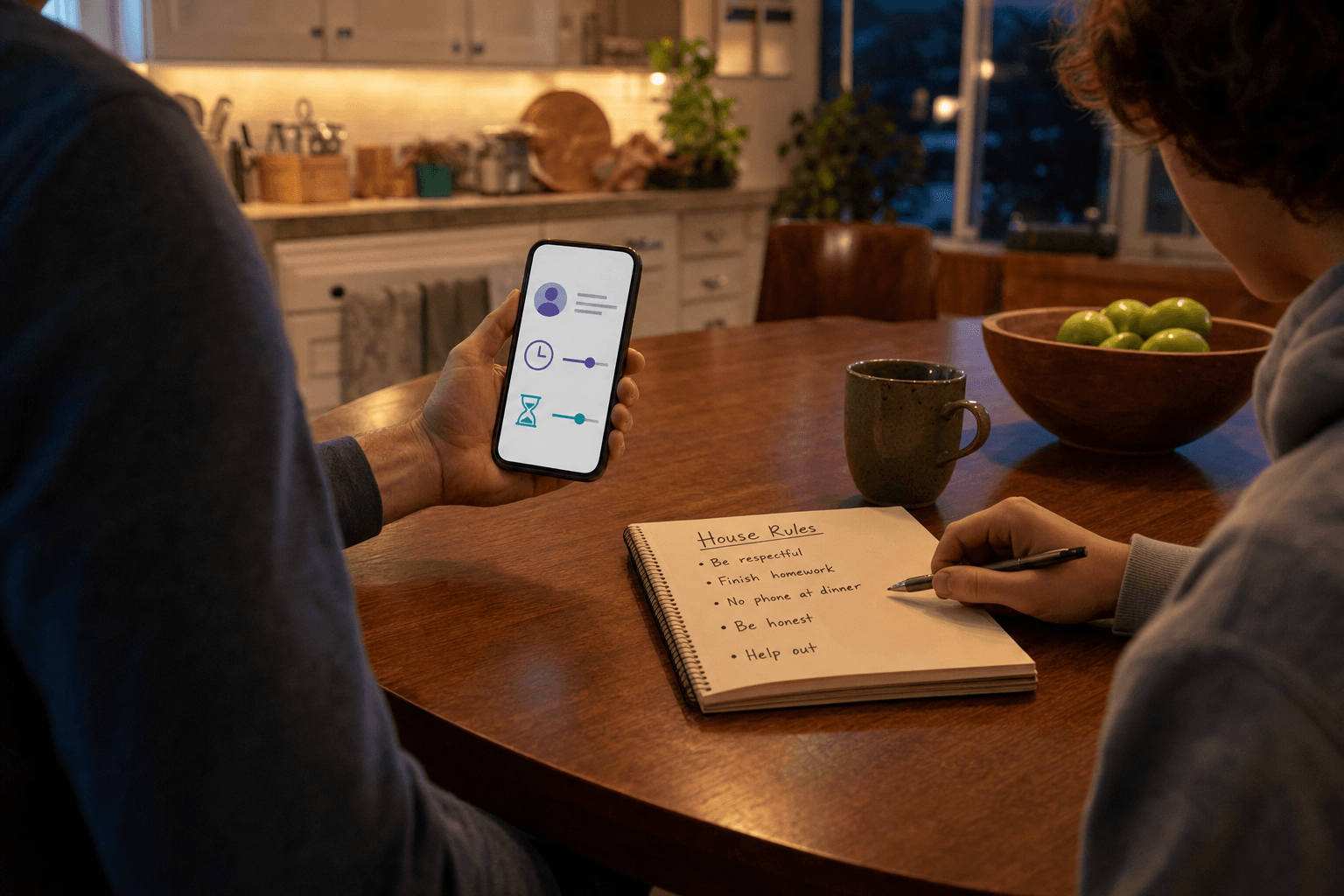
Before changing any settings, Marie starts with a plain talk at the kitchen table. She says she wants to add guardrails, not read his private life. She also says she will avoid permanent location tracking because that feels too intrusive for the risks she is trying to manage.
Together, they agree on two goals. The first goal is to reduce exposure to unsuitable content. The second goal is to stop unplanned purchases. They do not add message reading, constant location checks, or a rule to inspect every search.
Marie then checks the tool’s setup information and permission requests. She looks for what data the tool needs and asks herself whether each permission matches the two agreed goals. If a feature goes beyond those goals, she leaves it off.
Next, she explains to Lucas what is active. She tells him when the rules apply and what the tool may record. He knows the controls exist, why they exist, and what they do not do. That matters because the CNIL stresses transparency toward the child.
They also agree on a review date. If the settings create problems for homework or social life, they will adjust them. If Lucas shows good judgement, they will reduce restrictions over time. This follows the CNIL’s focus on balancing protection with autonomy and on recognising changing maturity.
After a few weeks, the outcome is good. Lucas still has privacy in his ordinary conversations. Marie has addressed the risks she cared about most. The controls are clear, limited, and easier to defend because they match a specific purpose.
The near-miss
Now replay the same case with one key check skipped. Marie does not explain the settings first. She installs a broad monitoring tool in secret because she is anxious and wants complete visibility.
Lucas later notices unusual permission prompts and realises location and other activity may be visible all the time. He feels tricked, not protected. Instead of asking for help when something uncomfortable appears online, he starts hiding parts of his digital life.
The result is the exact risk the CNIL warns about. Trust falls, and concealment rises. Marie now has more data than she needs, but less honesty from her teenager when it matters most.
How to check it worked
A good setup should be easy to describe. If you cannot explain in one minute what each enabled feature is for, you have probably turned on too much. A proportionate setup has a clear purpose for each control.
Ask your teenager to tell you, in their own words, what is active and why. If they can explain the rules clearly, your transparency step worked. If they seem surprised by a feature, fix that first.
Check whether the tool solved the original problem without adding new family conflict. If the issue was accidental spending, look for fewer purchase surprises. If the issue was late-night use, look for calmer routines instead of arguments about hidden monitoring.
Look for behaviour, not just dashboard data. A successful setup should make it easier for your teenager to come to you when something goes wrong online. If your data view improves but your conversations get worse, the balance is off.
Review whether the active features still match your teen’s age and maturity. The CNIL says children’s capacity for understanding changes over time. What made sense last year may now be too restrictive.
Finally, test the security of the parent side. Make sure only the intended adult can open the account that manages the controls. The CNIL highlights data security because information about a minor, including location data, should not be exposed to third parties.
Test yourself
Question: What is one feature the CNIL names as especially intrusive? Answer: Permanent geolocation is named as an example of an intrusive feature that may be excessive.
Question: What should you tell your teenager before turning on controls? Answer: You should explain what is being enabled, why it is needed, and what information the tool records.
Question: What is the main sign that your setup is too intrusive? Answer: If trust drops and your teenager starts hiding things, the controls are likely going beyond a proportionate safety need.
Common mistakes
Using maximum monitoring as the starting point. This often feels safer to the parent in the moment. The CNIL warns, however, that highly intrusive controls can damage trust and encourage concealment.
Leaving permanent geolocation on by default. The CNIL specifically points to permanent geolocation as a feature to avoid when it is not justified. If your goal is content safety or spending control, location tracking may not help at all.
Installing controls in secret. Transparency toward the child is a core CNIL principle. Secret monitoring may produce a short burst of information, but it can cost you the open conversations you need later.
Using the same setup for a small child and a teenager. The CNIL says age and maturity matter. A system designed for a very young child will often feel humiliating or excessive to an older teen.
Collecting data because the app offers it. Just because a feature exists does not mean you need it. The right question is whether the data collection is proportionate to your stated safety goal.
Forgetting that the control tool also creates privacy risk. Any extra store of personal data about your child needs protection. If the parent account is weakly protected or left open on a shared device, you have created a new problem while trying to solve another one.
Never revisiting the settings. A frozen setup ignores growth. A review date helps you reduce controls as your teenager gains judgement and shows responsibility.
Level up
Take one concrete next step: write a short family control note and keep it with your device records or household admin papers. Include three lines only: which risk you are addressing, which features are enabled, and when you will review them. This simple note helps you stay proportionate, explain the setup clearly, and remove features that no longer match your teenager’s age or maturity.
If you want a strong benchmark for your choices, compare each enabled feature with the CNIL’s three tests: proportionality, transparency, and security. If a feature fails one of those tests, leave it off until you can justify it clearly.
Checklist
- Explain the goal to your teenager before enabling any controls.
- Choose one narrow purpose first, such as content filtering or purchase approval.
- Avoid permanent geolocation as a default setting.
- Check what data the tool collects and reject anything beyond your goal.
- Tell your teenager what is active, when it applies, and what it records.
- Protect the parent account with a strong password and limited access.
- Set a review date to reduce or adjust controls over time.
Frequently asked questions
Are parental controls always bad for a teenager’s privacy?
No. The CNIL recognises that parental controls can protect minors online, but says they should be proportionate, transparent, and secure. The problem is not every control. The problem is intrusive monitoring that goes beyond the real need.
Is location tracking a good default for teen safety?
Not usually. The CNIL gives permanent geolocation as an example of an intrusive feature that may be excessive. If your goal is to reduce harmful content or accidental spending, always-on location tracking may not be justified.
Should I tell my teenager that parental controls are installed?
Yes. The CNIL says there should be transparency toward the child, with clear information about how parental control works. Telling your teenager what is active protects trust and makes the rules easier to follow.
How do I know if a control is proportionate?
Ask whether the feature matches a specific risk, fits your teen’s age and maturity, and can be explained openly. If the feature collects much more data than the risk requires, it is probably not proportionate.
Sources
Stay Updated
Subscribe to our newsletter for the latest cybersecurity insights, threat intelligence, and security best practices.